Test the flow
Your flow now looks as follows:
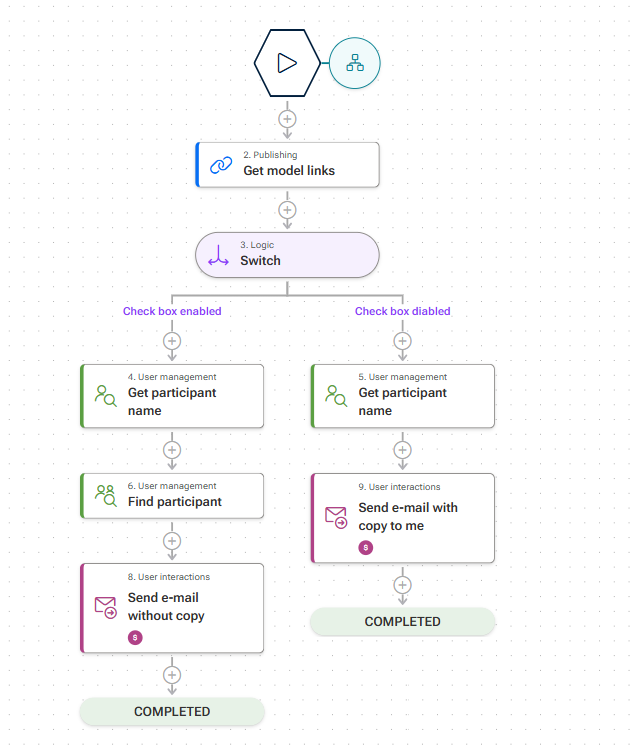
A flow remains visible exclusively to you and other flow managers until it is published, which allows you to run it for test purposes. To test the flow, start it for any model in your database. Note that executing the flow is not a simulation but runs on your real database. We recommend that you use a test database to test the flow.
Click
 Run. The Select context for running the flow panel opens.
Select a database.
Click
 Add model. The Select model panel opens.
Select a model.
Click Add.
Click Start run.
If a confirmation message is displayed, enable one of the check boxes.
Click Start run. The Share content dialog opens. Remember: You created this dialog during the initial steps of the use case when you created the form.
As this is a test, select yourself as the user and click Apply.
Enter a subject and a comment. Enable the Send copy to me check box to run the Send e-mail with copy to me case.
Click Submit.
You will receive an e-mail with the link to the selected model and the data you entered in the form. You will also be listed as a Cc recipient of the e-mail.
Click  Publish to make the flow available to other users.