Assign a DMN decision table to the Decision object
Assign a DMN decision table to the Decision object.
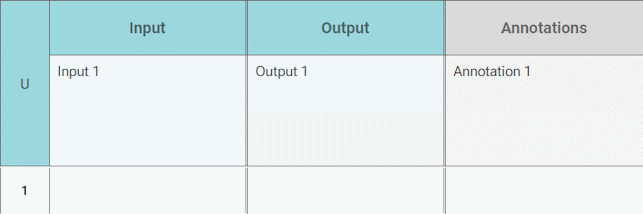
Assign a DMN decision table to the Decision object.
You can add an Input column.
Open a DMN decision table.
Click
 Add Column > Add Input.
Click the Input column header. The dialog opens.
Enter a name.
Specify a data type. You can create a new object of type Item definition or use an already existing.
Click Apply.
You have added an Input column.
You can add rules to your DMN decision table. Rules are added in new rows.
Open a DMN decision table.
Click
 Add Rule.
Double-click a cell of the new rule.
Enter input and output data and an annotation.
You have added a rule.
You can enter input data in an Input cell.
Open a DMN decision table.
Double-click a cell in the Input column. The dialog opens.
Enter input data. Depending on the data types specified for this column, different data types or expressions are allowed.
Click
 OK.
OK.
You have entered input data.
You can enter output data in an Output cell.
Open a DMN decision table.
Double-click a cell in the Output column. The dialog opens.
Enter output data. Depending on the data types specified for this column, different data types or expressions are allowed.
Click
OK.
You have entered output data.
You can enter a text in an Annotation cell.
Open a DMN decision table.
Double-click a cell in the Annotations column. The dialog opens.
Enter your annotation.
Click
OK.
You have entered an annotation.