Flow lifecycle
Each flow in Flows follows a defined lifecycle with three primary states:  Draft,
  Published, and
  Published with Changes pending.
The current state of each flow is displayed in the flows list, allowing users to quickly identify the status of any flow.
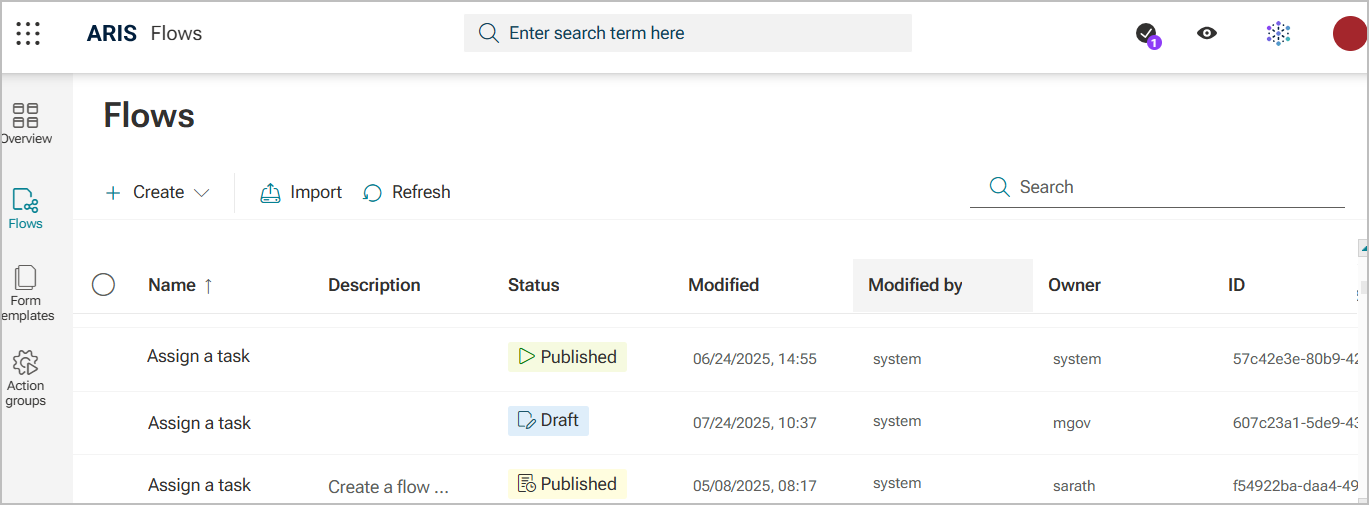
When a flow manager creates and saves a flow, it is stored as a workspace version in Draft state. Only the flow manager can view and run this version of the flow - Run action.
Selecting Publish creates a new version of the flow that can be run. This makes the flow visible and accessible to flow consumers, and its status is updated to Published.
If a published flow is edited and saved, it is marked as Published with Changes pending until the updated version is published. During this phase, it is possible that:
Flow consumers can start the last published version.
Running instances of the flow are not affected by the changes.
Once the changes are finalized, the flow manager must publish the flow to make the new version available to flow consumers.
Flows can be deleted entirely, or individual versions can be deleted along with their related workflow instances.
Each version of a flow is recorded in the version history, including its state, version number, creation date, and author.