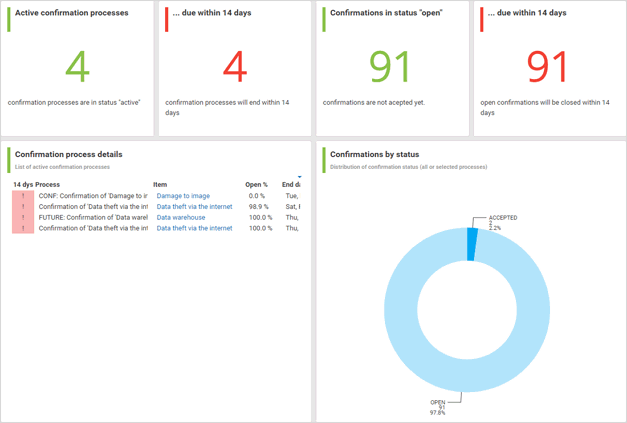
'Confirmation management' dashboard
The Confirmation management dashboard provides an overview of different indicators and objects of the current user's confirmation processes as well as the related confirmations. You can find the Confirmation management dashboard in  Application launcher >
  Dashboards. For detailed information on dashboards, refer to Use dashboards .
Prerequisite
Since the dashboard uses data from ARIS Risk and Compliance, it only works if ARIS Risk and Compliance is properly installed.
To make the dashboard charts available in ARIS, follow the instructions below:
Import the Confirmation management dashboard and data feeds (Confirmation_Dashboards_Feeds.zip)
The Confirmation management dashboard contains the following charts:
Chart | Content |
|---|---|
Active confirmation processes | Displays the number of confirmation processes of the current user with the Active status. |
Processes due within 14 days | Displays the number of confirmation processes of the current user with the Active status that are due within the next 14 days. |
Confirmations in status 'Open' | Displays the number of confirmations with the Open status that are related to the confirmation processes of the current user with the Active status. |
Confirmation due within 14 days | Displays the number of confirmations with the Open status that are related to the confirmation processes of the current user with the Active status that are due within the next 14 days. |
Confirmation process details | Displays details of the confirmation processes of the current user with the Active status:
|
Confirmations by status | Displays the distribution by status of assigned confirmations of all confirmation processes or the selected confirmation process. |